Instagram Story Reply Automation: Complete Guide [2026]
![Instagram Story Reply Automation: Complete Guide [2026]](https://api.directreply.top/media/blog/featured/2026/07/5c33ad5594ca4f2185fd021ef5aa07e4.webp)
Does Instagram Story Reply Automation Actually Work?
Short answer: yes — but only through the official Instagram Messaging API. Tools that claim to automate story replies through browser simulation or unofficial methods violate Instagram's terms and risk account suspension.
In this guide, you'll learn how story reply automation works, what it can and can't do, and how to set it up in under 5 minutes using Direct Reply.
What Is Instagram Story Reply Automation?
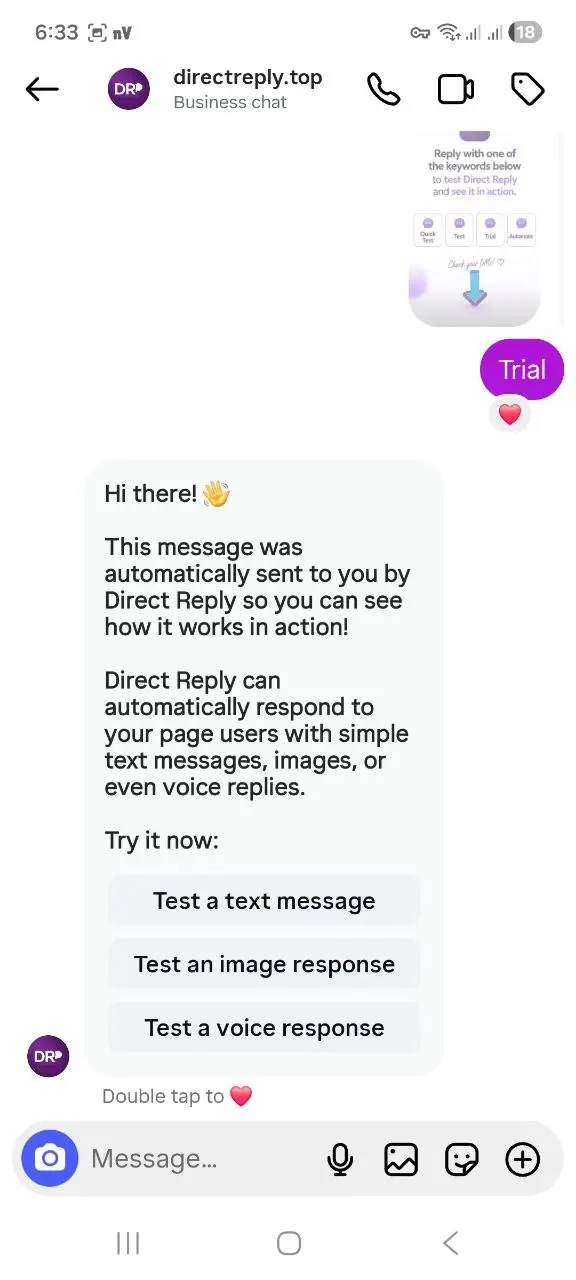
When someone swipes up on your story and sends a reply, that message lands in your Instagram DMs — tagged as a story reply. Story reply automation means: instead of manually responding to each one, a tool automatically sends a pre-written response the moment a reply comes in.
Two types of story interactions can be automated:
- Story Reply: Someone replies directly to your story with a message (You will setup auto replies on this type)
- Story Mention: Someone tags you in their own story
Both are supported by the Instagram Messaging API — and both can trigger automated DMs through Direct Reply.
Why Story Replies Are Your Warmest Leads
A story reply is not a passive interaction. The person saw your story, felt something, and took action. They typed a message. That's a level of intent you rarely get from a like or a view.
Active business accounts often receive dozens of story replies per day. Responding manually to all of them — especially outside business hours — is impossible. Each unanswered reply is a missed conversion opportunity.
What Instagram's Built-in Tools Can't Do
Instagram's native Away Message feature handles DMs, but it has significant limitations for story reply automation:
- Sends the same message to every DM — no distinction between story replies, regular DMs, or comment replies
- Only activates during "away" hours you set — not 24/7
- No keyword matching — can't send different replies based on what the person wrote
- No Follow Gate — can't condition the reply on whether the person follows you
For targeted, intelligent story reply automation, you need API-level access.
Setting Up Story Reply Automation in Direct Reply
Requirements
- Instagram Professional account (Business or Creator) — personal accounts don't have API access
- A Direct Reply account with your Instagram page connected
- An active story to target (stories expire after 24 hours)
Step 1: Create a New Rule with Story Scope
In your Direct Reply dashboard, go to Auto-Replies → Create New. Set Scope to Story Reply.
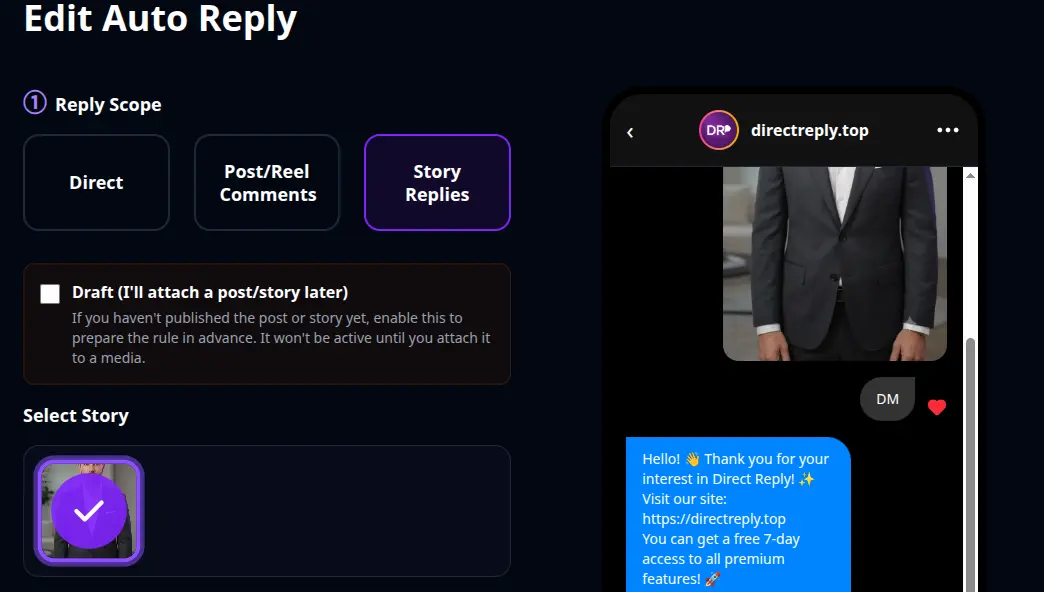
Direct Reply fetches your active stories from the API. Select the story you want to monitor. Each rule is tied to a specific story — which means you can send completely different messages for different stories.
Step 2: Choose Your Keyword Matching Type
Three matching options are available:
- Any Reply: Responds to every reply to that story — best for giveaways or high-engagement stories
- Contains Keyword: Only responds when the reply includes a specific word — best for sales stories ("price", "info", "how much")
- Exact Match: Reply must match exactly — best for structured campaigns ("SEND", "YES", "INFO")
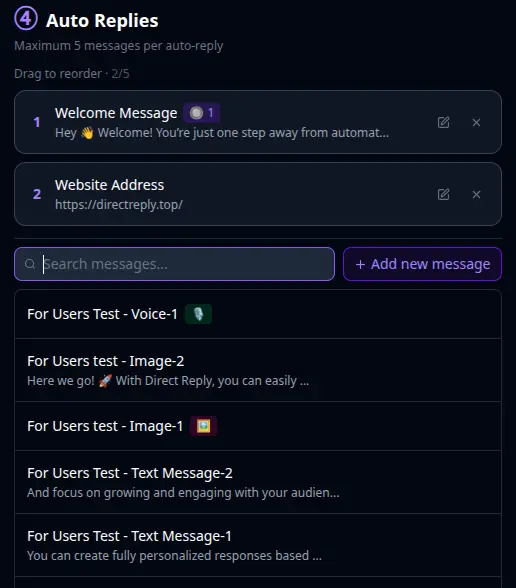
Step 3: Write Your Automated Message
Keep it relevant to the story content. Generic "thanks for your reply!" messages feel robotic. Examples:
For a product story: "Hey! Thanks for reaching out 👋 Here's everything about [Product]: [link] — it's available now and ships in 2 days. Any questions? Reply here!"
For a lead magnet story: "Glad you're interested! Here's the free guide: [link]. Let me know if you have questions."
For a giveaway story: "You're entered! ✅ Make sure you're following us — winners announced [date]. Good luck!"
Step 4: Save and Test
Save the rule. Test it immediately: from a secondary Instagram account, reply to your story. You should receive an automated DM within seconds.
Advanced Strategies
Follow Gate: Followers-Only Offers
Direct Reply's Follow Gate lets you condition automated replies on follower status. Non-followers get: "Follow us first, then reply again to get the exclusive details!" Once they follow and reply, the main message triggers. This turns story engagement into follower growth.
Multiple Messages in Sequence
Send a chain of messages instead of just one:
- Instant welcome ("Got your reply! Sending details now...")
- Main content (product link, pricing, guide)
- CTA ("Any questions? Reply here — we respond fast")
Different Rules per Story
Running a product reveal story and a giveaway story simultaneously? Set up separate rules with separate messages for each. The right message goes to the right replier, automatically.
Important Limitations
- Stories expire after 24 hours: Your automation rule stays saved, but stops triggering once the story expires. For Highlights, you'd need a new active story.
- Message Requests: If the replier doesn't follow you, your automated DM lands in their Message Requests — they must accept it to see it. This is an Instagram platform behavior, not a Direct Reply limitation.
- No reply-to-comment for stories: The API supports sending DMs in response to story replies, but not posting a public comment (stories don't have comments). Only DMs are possible.
- Professional accounts only: Personal Instagram accounts don't have Messaging API access.
Story Reply vs. Comment Auto Reply vs. DM Auto Reply
| Feature | Story Reply Auto | Comment Auto Reply | DM Auto Reply |
|---|---|---|---|
| Trigger | Reply to a specific story | Comment on a specific post | Keyword in a DM |
| Public response? | No (DM only) | Yes (optional) | No |
| Expires? | Yes — after 24h | No | No |
| Follow Gate? | ✅ | ✅ | ✅ |
| Best for | Product reveals, giveaways, lead gen | Sales posts, evergreen content | FAQs, catalog, support |
For a full breakdown of all automation types, read the Complete Instagram DM Automation Guide.
FAQ
Will this get my account banned?
No. Direct Reply uses the official Instagram Messaging API with OAuth authorization — the same technology Meta approves for business tools. There's no risk of account restrictions.
Can I automate replies to story mentions (when someone tags me)?
Yes. When someone tags you in their story, the Instagram API sends an event and Direct Reply can respond with an automated DM.
What happens when my story expires?
The rule stays saved in Direct Reply but stops triggering. If you add the story to Highlights, you'll need to post a new story and create a new rule to capture new replies.
Can I set up automation for multiple stories at once?
Yes — each story gets its own rule. You can have multiple active rules simultaneously for different stories, each with different messages and keyword settings.
Does it work if someone replies with an emoji only?
Yes, if you use "Any Reply" matching. Emoji-only replies are still valid story replies and trigger the automation.
Conclusion
Story reply automation is one of the highest-ROI automations you can set up on Instagram. The people replying to your stories are already warm — they just need a fast, relevant response to convert.
With Direct Reply, every story reply gets an instant, personalized follow-up — even while you sleep.
Related Posts