Instagram Keyword Triggers: Send Auto DMs When Someone Uses a Keyword
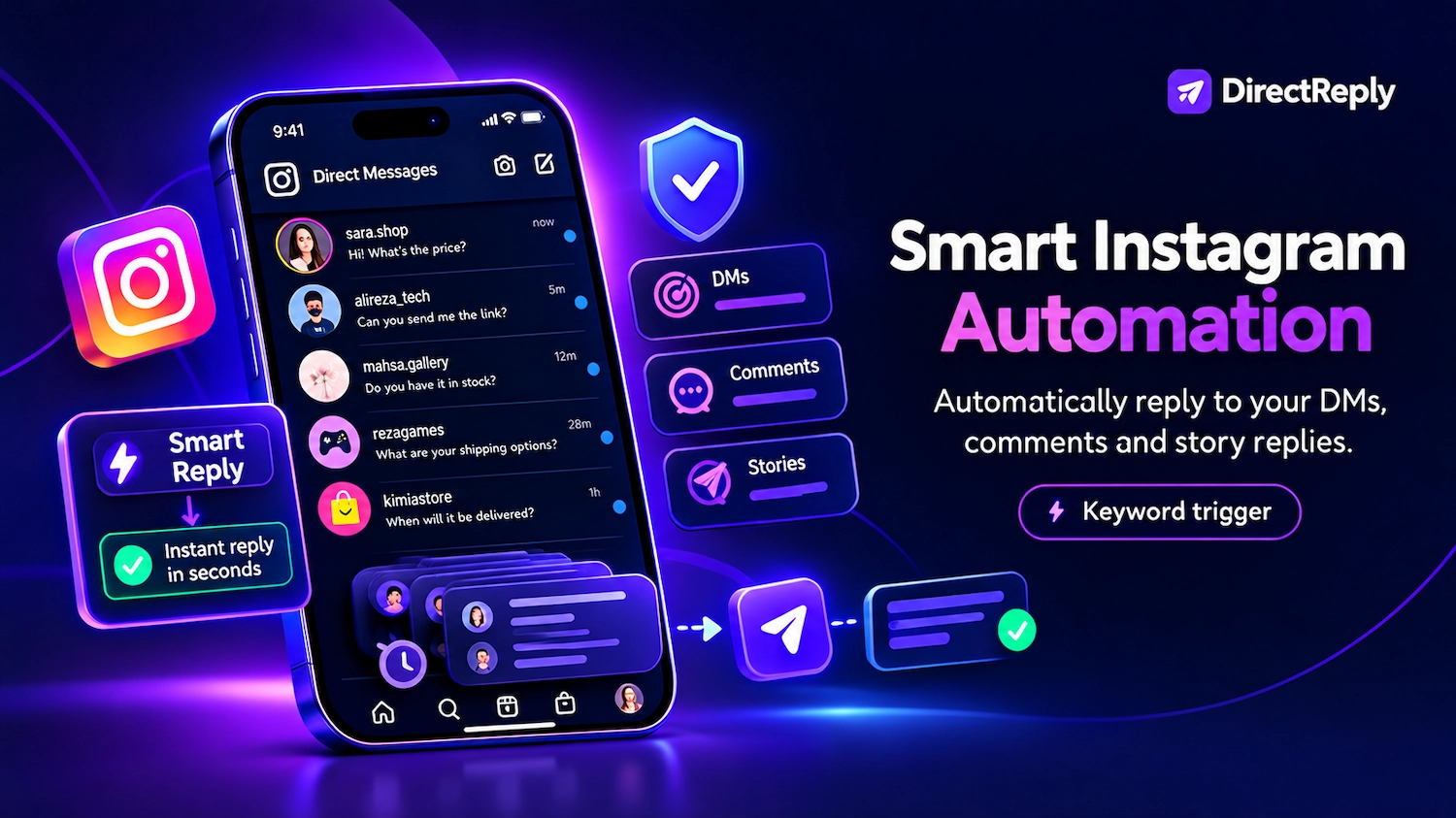
Imagine every time someone DMs your business with the word "price", they receive your full price list within a few seconds — automatically, without you being there. That's what an Instagram keyword trigger does.
Keyword triggers are one of the foundations of effective Instagram DM automation. This guide covers how keyword matching works, how to choose the right keywords, how to structure effective rules, and real examples across different types of businesses.
What Is a Keyword Trigger?
A keyword trigger is a rule that says: "If an incoming message contains this word or phrase, send this response."
When someone sends your account a DM, the system scans the message. If it matches one of your defined keywords, the corresponding automated response is sent. If there is no match, the message stays in your inbox for manual follow-up.
The result: common customer questions can be answered automatically, without requiring you to be available every time someone sends a message.
Two Matching Modes: Exact and Contain
Direct Reply gives you two ways to match incoming messages against your keywords:
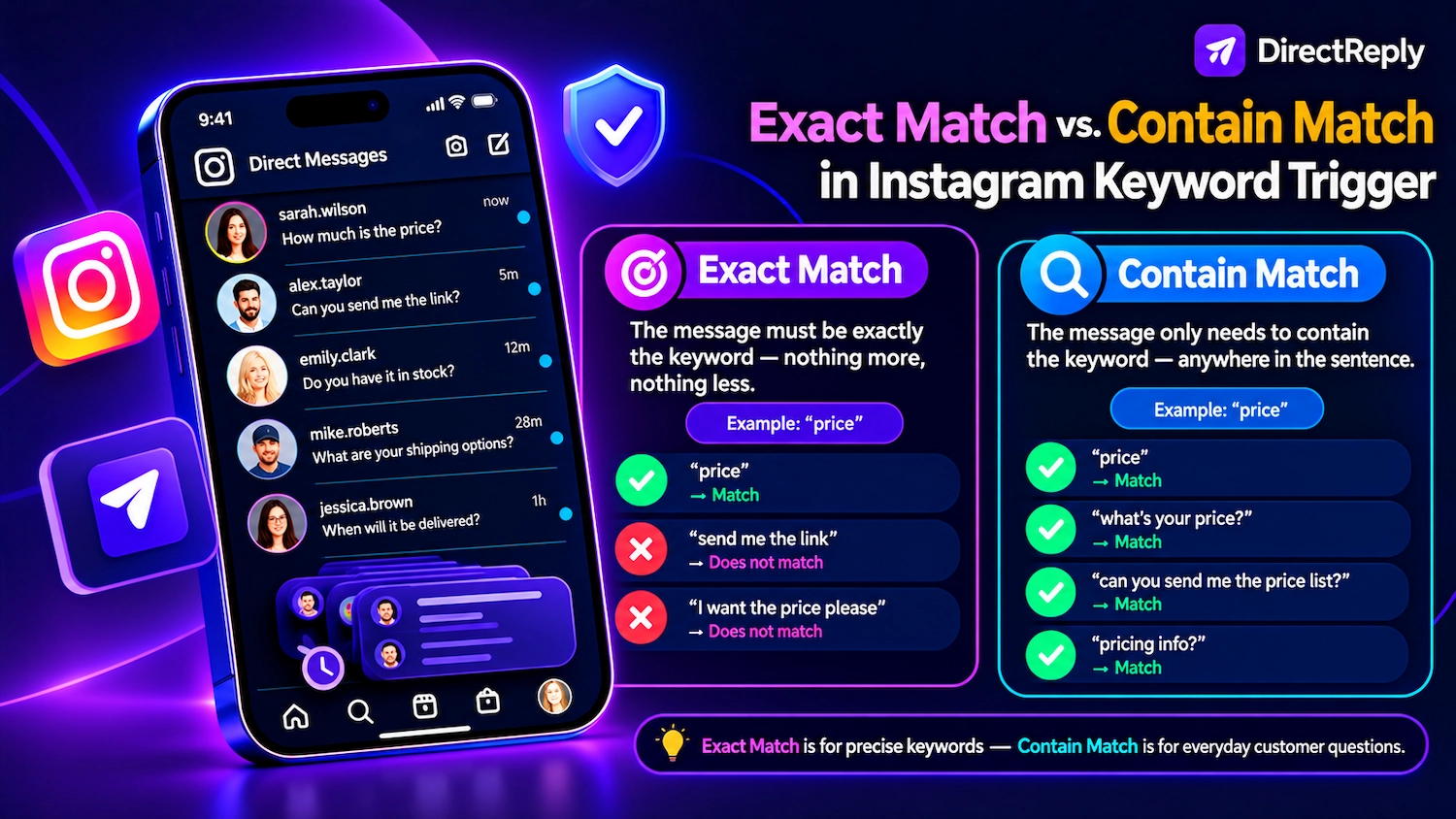
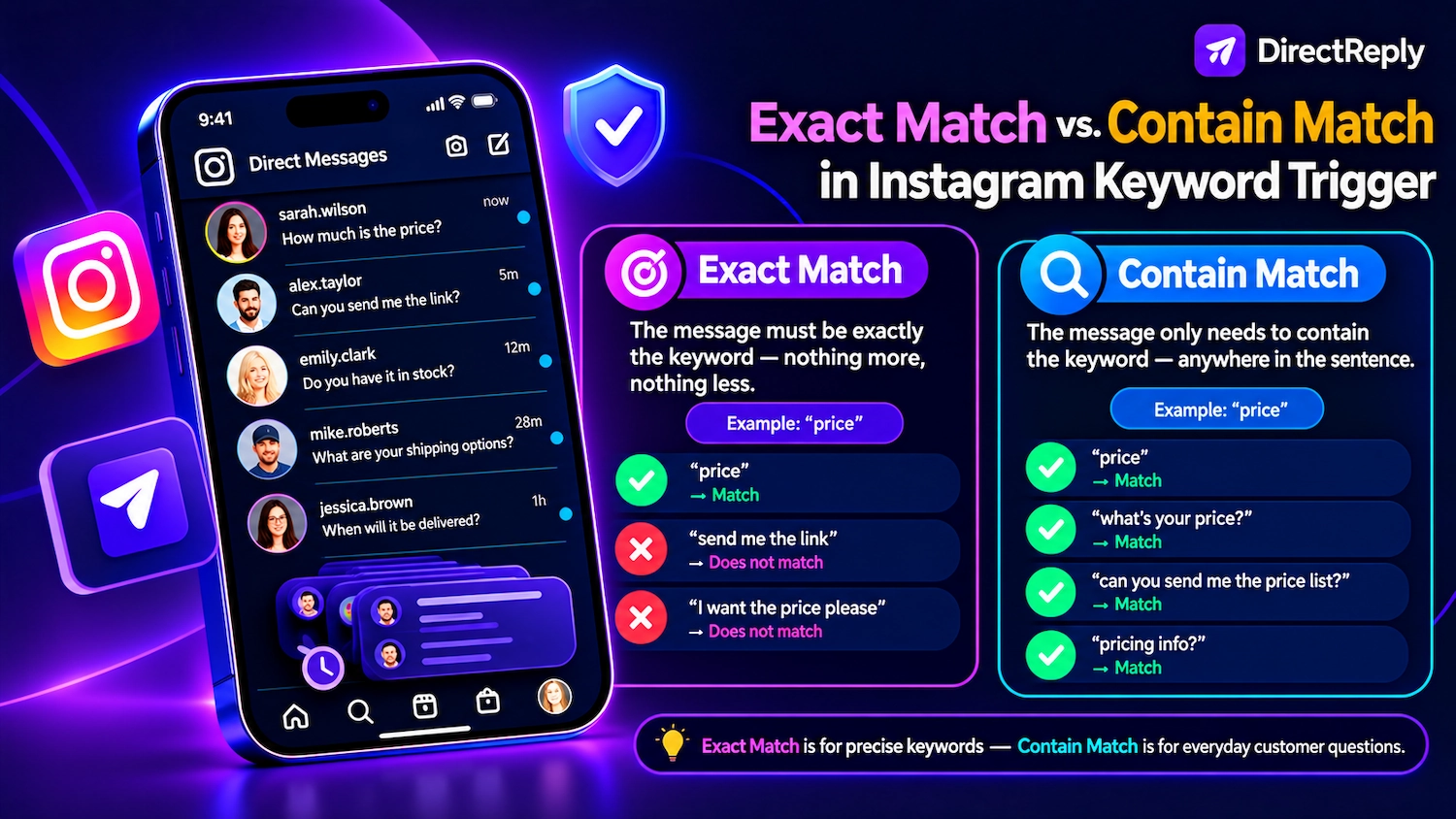
Exact Match
The message must be exactly the keyword — nothing more, nothing less.
Example: keyword "LINK" with Exact Match:
- ✅ "LINK" — matches
- ❌ "send me the link" — does not match
- ❌ "I want the link please" — does not match
When to use it: campaign-style triggers where you instruct users to send a specific word. For example: "Comment LINK below to receive the catalog." Users who follow the exact instruction trigger the automation, while other messages do not.
Contain Match
The message only needs to contain the keyword — anywhere in the sentence.
Example: keyword "price" with Contain Match:
- ✅ "price" — matches
- ✅ "what's your price?" — matches
- ✅ "can you send me the price list?" — matches
- ✅ "pricing info?" — matches
When to use it: for common questions that customers may phrase in many different ways. This is especially useful for everyday customer support and frequently asked questions.
How to Choose the Right Keywords
Keyword selection is one of the most important parts of building an effective trigger. A common mistake is defining only one or two keywords per rule and missing the different ways customers may ask the same question.
Direct Reply supports up to 10 keywords per rule. Use that capacity to cover the phrases your customers are most likely to use.
Example: "Price" Rule for an Online Clothing Store
Limited keyword setup:
- price
- cost
More complete keyword setup:
- price
- cost
- how much
- pricing
- rate
- fee
- charge
- how much is it
- what does it cost
- price list
Using several common variations gives the rule a better chance of matching the different ways customers ask about pricing.
What to Account for When Choosing Keywords
- Common typos: If customers frequently make the same typo when typing an important keyword, you can add that variation as well.
- Abbreviations: Consider common shortened forms or informal ways your audience uses to ask a question.
- Different levels of formality: Customers may write "price", "pricing", "how much", or "what does it cost".
- Colloquial phrasing: Consider the informal expressions your actual customers use when asking about your products or services.
One Rule Per Topic
Build separate rules for each distinct customer question or topic. Avoid trying to handle unrelated questions with one general rule.
Example structure for a clothing store:
- Rule 1: "price / cost / how much / pricing" → price list + shop link
- Rule 2: "shipping / delivery / ship / send" → shipping details + delivery timeline
- Rule 3: "size / sizing / fit / measurements" → size guide link
- Rule 4: "discount / sale / promo / code / coupon" → current offer + conditions
- Rule 5: "return / refund / exchange" → return policy
This structure helps each customer receive information that is directly relevant to their question instead of a generic reply containing information they may not need.
Keyword Triggers Beyond Direct Messages
Keyword rules in Direct Reply are not limited to DMs. You can also use keyword triggers for post comments and story replies.
Post Comments
When someone comments on a specific post using your keyword, Direct Reply can automatically send them a DM. You can also configure a public comment reply, such as "Sent you a DM with the link 📩", to keep the conversation active in the comments.
This is useful for campaigns such as: "Comment CATALOG below and I'll send you everything 👇" — the comment creates engagement while the automated DM delivers the requested information.
Story Replies
When someone replies to a specific story with a keyword, Direct Reply can automatically send a relevant DM. You can pair this with a story that asks viewers to reply with a specific word or phrase.
For example: "Reply with your city and I'll send you the nearest location."
Real Examples by Business Type
E-commerce / Online Store
- "price / cost / how much / pricing" → product price list + shop link
- "shipping / delivery / ship" → shipping options + estimated delivery
- "return / refund / exchange" → return policy + link
- "size / sizing / fit" → size guide
Coach / Online Course Creator
- "enroll / register / join / signup" → enrollment link + start date
- "price / cost / fee / tuition" → course pricing + what's included
- "demo / sample / preview / free" → free lesson link
- "certificate / certification" → credential details
Restaurant / Café
- "menu / food / drinks" → menu image + online menu link
- "reserve / reservation / book / table" → booking link or phone number
- "hours / open / close / time" → opening hours
- "location / address / directions / map" → address + map link
Service Business (Salon, Clinic, Contractor)
- "appointment / book / schedule / available" → booking link or availability
- "price / cost / how much / rate" → service pricing
- "location / address / parking" → location details
- "contact / call / phone" → contact details
What Happens to Unmatched Messages?
Messages that don't match any keyword stay in your inbox for manual review. These are often the more specific or complex inquiries that require a personalized response.
A well-built keyword system can handle many repetitive, high-volume questions automatically, freeing you to focus on the conversations that actually need a personal response.
Conclusion
A well-designed keyword trigger system can automate a significant portion of repetitive customer questions. The key is choosing relevant keyword variations, using the right matching mode for each rule, and creating separate rules for different topics.
Start with your most common customer question — pricing, availability, shipping, or your link — and build one rule with several relevant keyword variations. Then monitor the messages you receive and add new keywords as you discover how your customers actually phrase their questions.
For the complete setup process, check out our Instagram DM automation guide.
Direct Reply lets you trigger automated responses from keywords — try it free
Related Posts